
 EN
EN



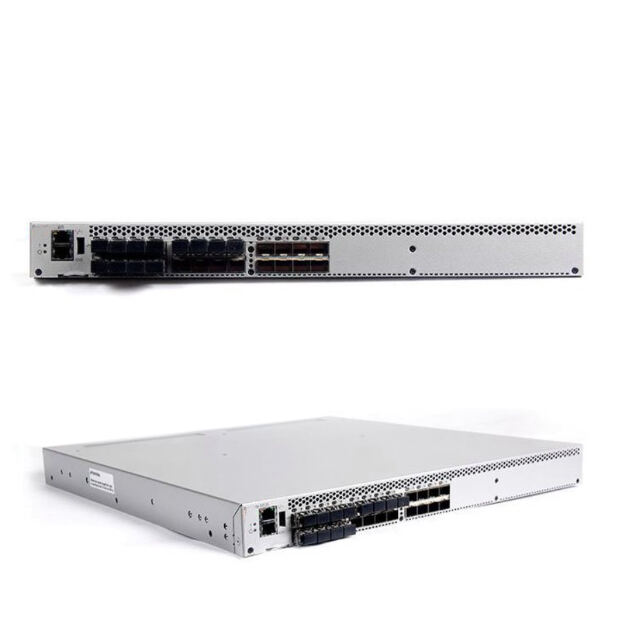
Mastering Network Infrastructure with Advanced Switching Solutions
Enterprise networking demands robust, reliable, and efficient infrastructure components, and the Brocade switch stands at the forefront of this technological landscape. As organizations continue to expand their digital footprint, the importance of properly configured switching solutions becomes increasingly crucial. Whether you're managing a small business network or operating a large-scale data center, understanding the intricacies of Brocade switch configuration can significantly impact your network's performance, security, and reliability.
Modern network environments require sophisticated switching capabilities that can handle everything from basic connectivity to complex virtualized workloads. Brocade switch technology offers this versatility while maintaining the high standards of performance that today's enterprises demand. By mastering the configuration aspects of these powerful networking devices, IT professionals can unlock their full potential and ensure optimal network operations.
Core Configuration Fundamentals
Initial Setup and Basic Commands
Getting started with a Brocade switch configuration requires understanding the fundamental command structure and initial setup procedures. The command-line interface (CLI) serves as your primary tool for configuration and management. Begin by accessing the switch through the serial console port or SSH connection, then proceed with the basic configuration steps including hostname setup, IP addressing, and user authentication settings.
The configuration process starts with entering privileged EXEC mode using the 'enable' command, followed by accessing global configuration mode. Here, you'll establish essential parameters such as system time, management IP addresses, and SNMP settings. Remember to save your configurations using the 'write memory' command to ensure changes persist through system reboots.
VLAN Configuration and Management
Virtual LANs (VLANs) play a crucial role in network segmentation and traffic management. When configuring VLANs on a Brocade switch, start by creating the VLAN ID and assigning appropriate ports. The process involves entering the VLAN configuration mode, defining VLAN parameters, and establishing port memberships.
Consider implementing VLAN tagging strategies to maintain proper traffic separation and enable inter-switch VLAN communication. Tagged ports handle traffic for multiple VLANs, while untagged ports typically serve end-user devices. Properly documented VLAN assignments help maintain network organization and simplify troubleshooting procedures.
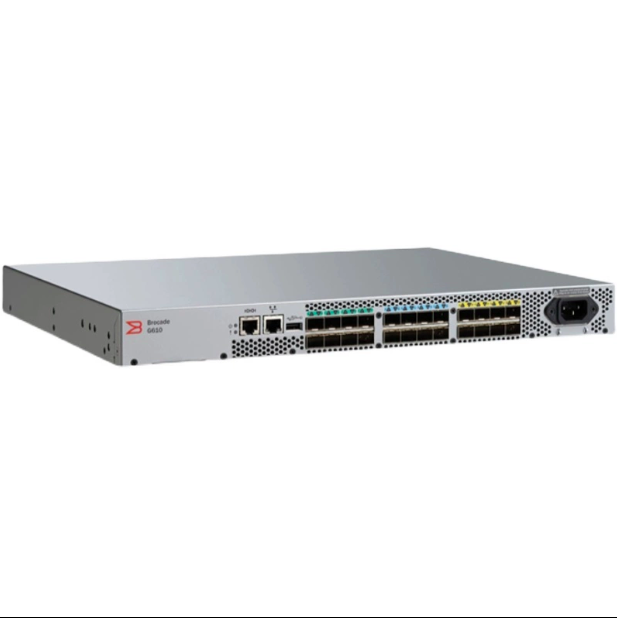
Advanced Security Implementation
Access Control Lists and Port Security
Security remains a top priority in network infrastructure, and Brocade switch implementations offer robust security features. Access Control Lists (ACLs) provide granular control over network traffic, allowing administrators to permit or deny specific types of communication based on various criteria including source/destination addresses, protocols, and port numbers.
Port security features add another layer of protection by controlling which devices can connect to switch ports. Configure MAC address limitations, sticky MAC addresses, and violation actions to prevent unauthorized access attempts. Regular security audits and updates to these configurations ensure continued protection against evolving threats.
Authentication and Authorization Protocols
Implementing strong authentication mechanisms protects your network infrastructure from unauthorized access. Configure RADIUS or TACACS+ authentication to centralize user management and maintain consistent access policies across your network. Enable secure protocols like SSH and HTTPS for management access while disabling less secure options such as Telnet.
Role-based access control (RBAC) allows for precise management of user privileges on the Brocade switch platform. Define custom command access levels and user roles to align with your organization's security policies and compliance requirements.
Performance Optimization Strategies
Quality of Service Implementation
Quality of Service (QoS) configuration ensures critical applications receive appropriate network resources. Begin by identifying traffic types and their respective priorities, then implement QoS policies using class maps and policy maps. Configure queue scheduling algorithms and bandwidth allocation to optimize traffic flow according to business requirements.
Monitor QoS effectiveness through built-in analytics tools and adjust configurations as needed. Remember that QoS settings should align with end-to-end network policies to maintain consistent service levels across the infrastructure.
Traffic Management and Flow Control
Effective traffic management prevents network congestion and ensures optimal performance. Configure flow control mechanisms to handle traffic bursts and prevent buffer overflows. Implement link aggregation groups (LAGs) to increase bandwidth and provide redundancy between switches.
Regular monitoring of traffic patterns helps identify potential bottlenecks and opportunities for optimization. Use port mirroring and traffic analysis tools to gather detailed insights into network behavior and make informed configuration adjustments.
Troubleshooting and Maintenance
Diagnostic Tools and Monitoring
Brocade switch platforms include comprehensive diagnostic capabilities for identifying and resolving network issues. Familiarize yourself with debug commands, system logs, and monitoring tools to quickly pinpoint problems. Configure SNMP traps and syslog servers to centralize network monitoring and alert management.
Regular health checks using built-in diagnostic tools help prevent potential issues before they impact network operations. Maintain detailed documentation of baseline performance metrics to facilitate troubleshooting when problems arise.
Firmware Management and Updates
Keeping your Brocade switch firmware up to date ensures access to the latest features and security patches. Establish a systematic approach to firmware management, including proper backup procedures before updates and thorough testing in a controlled environment. Document the update process and maintain records of firmware versions across your network infrastructure.
Create a firmware update schedule that balances the need for current software with network stability requirements. Consider implementing redundant switch configurations to minimize downtime during maintenance windows.
Frequently Asked Questions
How often should I update my Brocade switch firmware?
Regular firmware updates are recommended at least quarterly, or whenever critical security patches are released. However, always test updates in a lab environment first and schedule maintenance windows during off-peak hours to minimize potential impact on network operations.
What are the best practices for backing up switch configurations?
Implement automated daily backups of switch configurations to a secure external server. Store multiple versions of configurations and document any changes. Additionally, perform manual backups before making significant configuration changes or firmware updates.
How can I optimize switch performance for virtualized environments?
Focus on implementing appropriate VLAN configurations, enabling jumbo frames where needed, and configuring QoS policies that align with virtualization requirements. Regular monitoring and adjustment of traffic patterns ensure optimal performance for virtualized workloads.