
 EN
EN



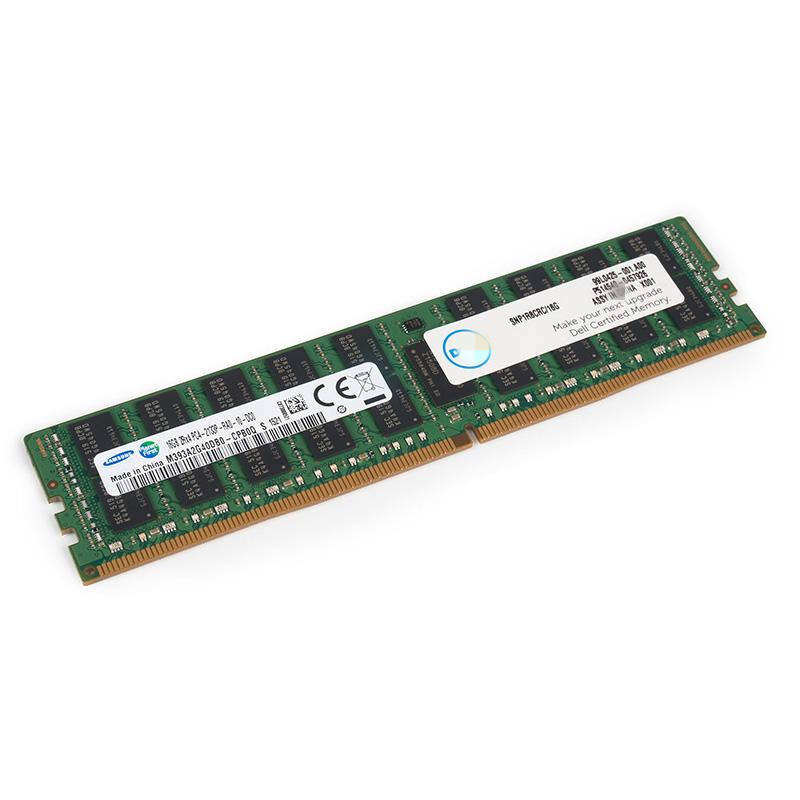
Mastering Zero-Downtime Memory Enhancement for Enterprise Servers
Server memory upgrades represent a critical operation in maintaining peak system performance and scalability. As businesses increasingly rely on 24/7 operations, performing these vital hardware improvements without disrupting services has become an essential skill for IT professionals. This comprehensive guide explores the intricacies of executing a seamless server memory upgrade while keeping your systems running smoothly.
Modern enterprises cannot afford system interruptions, making zero-downtime upgrades increasingly important. Whether you're managing a small business server or enterprise-grade infrastructure, understanding the proper approach to server memory upgrade procedures can save countless hours of potential downtime and prevent costly business interruptions.
Planning Your Server Memory Upgrade Strategy
Assessment and Compatibility Analysis
Before initiating any server memory upgrade, conducting a thorough assessment of your current system configuration is crucial. Begin by documenting your existing memory specifications, including type, speed, and capacity. Verify compatibility with your server's motherboard and operating system requirements to ensure the new memory modules will integrate seamlessly.
Utilize manufacturer documentation and system management tools to confirm maximum supported memory capacity and recommended configurations. Pay special attention to factors like memory ranking, speed matching, and voltage requirements to prevent potential compatibility issues during the upgrade process.
Resource Allocation and Capacity Planning
Effective resource management is vital for maintaining system stability during a server memory upgrade. Calculate your current memory utilization patterns and project future requirements to determine the optimal upgrade capacity. Consider peak usage periods and seasonal variations in workload to ensure your upgraded configuration will meet long-term needs.
Develop a detailed capacity plan that accounts for both immediate requirements and future growth. Factor in redundancy needs and performance headroom to avoid frequent upgrade cycles. This forward-thinking approach helps maximize the return on your memory investment while minimizing operational disruptions.
Technical Prerequisites for Zero-Downtime Upgrades
System Configuration Requirements
Successful server memory upgrade procedures depend heavily on proper system configuration. Ensure your server supports hot-swapping or online memory addition capabilities. Verify that your operating system version includes necessary drivers and features for dynamic hardware recognition. Modern enterprise-grade servers typically include these capabilities, but confirming compatibility beforehand is essential.
Review your system's BIOS/UEFI settings and update firmware to the latest stable version. Some servers require specific configuration adjustments to enable seamless memory recognition during hot-add operations. Document current settings and prepare any necessary modifications to support the upgrade process.
Backup and Failover Preparations
While zero-downtime upgrades minimize risks, maintaining comprehensive backups remains crucial. Implement full system backups and verify their integrity before proceeding. For critical systems, consider establishing temporary failover arrangements to ensure business continuity in case of unexpected complications.
Test your backup restoration procedures and document recovery steps for various scenarios. Having well-defined contingency plans helps maintain confidence during the upgrade process and ensures rapid response capabilities if issues arise.
Executing the Memory Upgrade Process
Pre-Installation Procedures
Begin the server memory upgrade by following proper safety protocols and anti-static precautions. Ensure the server environment maintains stable temperature and humidity levels throughout the procedure. Organize your workspace with necessary tools and replacement modules readily accessible.
Review system logs for any existing memory-related warnings or errors that might indicate underlying issues. Address any identified problems before proceeding with the upgrade to prevent complications during the installation process.
Step-by-Step Installation Process
Follow your server manufacturer's specific guidelines for hot-add memory installation. Typically, this involves identifying the appropriate memory slots, ensuring proper module orientation, and following prescribed insertion sequences. Maintain consistent pressure when seating new modules to ensure proper connection.
Monitor system logs and performance metrics throughout the installation process. Many servers provide real-time feedback through management interfaces, allowing you to verify successful recognition and initialization of new memory modules as they're installed.
Post-Upgrade Verification and Optimization
Performance Testing and Validation
Once new memory modules are installed, conduct comprehensive testing to verify proper operation. Run memory diagnostics tools to check for any errors or stability issues. Monitor system performance metrics to confirm expected improvements in memory-dependent operations.
Perform gradual load testing to ensure the upgraded configuration handles peak demands effectively. Watch for any unusual behavior or performance variations that might indicate installation issues or configuration problems requiring attention.
System Optimization and Monitoring
Fine-tune system settings to maximize the benefits of your server memory upgrade. Adjust memory allocation parameters and caching configurations to optimize resource utilization. Implement monitoring tools to track memory usage patterns and system performance trends.
Establish baseline performance metrics for comparison with pre-upgrade measurements. Regular monitoring helps identify any potential issues early and validates the long-term success of your upgrade investment.
Frequently Asked Questions
What are the signs indicating a server needs a memory upgrade?
Key indicators include consistently high memory utilization, increased swap file usage, degraded application performance during peak loads, and system alerts warning of low memory conditions. Regular performance monitoring can help identify these trends before they impact operations.
How can I determine the maximum memory capacity for my server?
Consult your server's technical specifications documentation, which should detail maximum supported memory capacity and configuration requirements. Consider factors like the number of available memory slots, maximum module size supported, and any specific configuration rules for your server model.
What precautions should I take when handling memory modules?
Always use anti-static protection, including wrist straps and appropriate work surfaces. Handle modules by their edges to avoid contact with electrical components. Store and transport memory in anti-static packaging, and maintain a clean, dust-free work environment during installation.