
 EN
EN



Enterprise Storage Solutions That Drive Business Success
In today's data-driven business landscape, choosing the right server hard drive is crucial for maintaining operational efficiency and data integrity. Enterprise storage solutions have evolved significantly, offering small businesses the same robust features once reserved for large corporations. Understanding the key aspects of server hard drives can help organizations make informed decisions that align with their storage needs and business objectives.
Modern enterprises generate and process massive amounts of data daily, making reliable storage infrastructure essential. A well-chosen server hard drive not only ensures data availability but also impacts system performance, reliability, and total cost of ownership. This comprehensive guide explores the vital considerations for selecting enterprise-grade storage solutions that can propel your small business forward.
Understanding Enterprise Server Storage Technologies
Hard Drive Interface Types and Performance
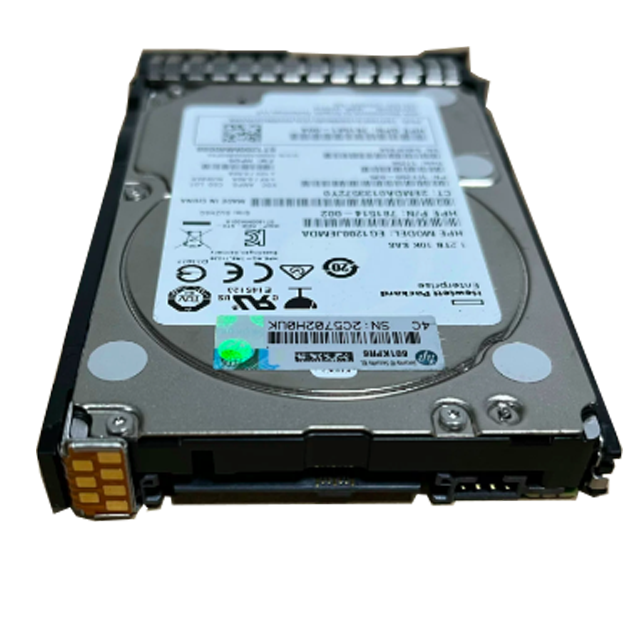
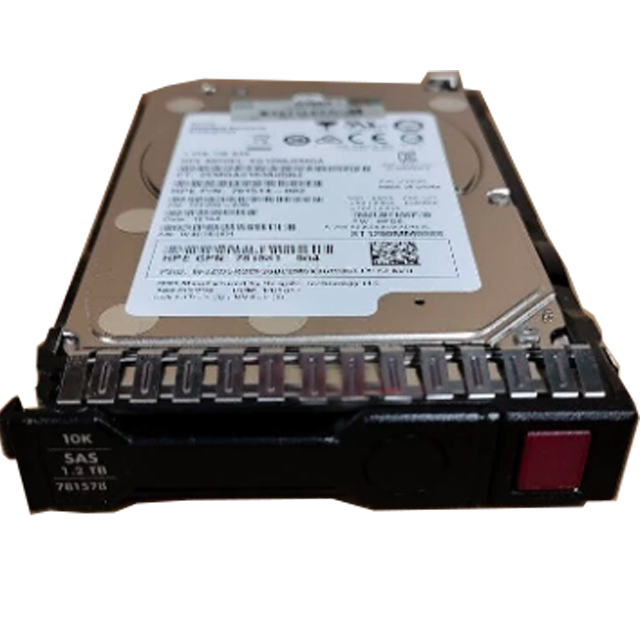
The interface of a server hard drive plays a significant role in determining its performance capabilities. Modern enterprise storage solutions primarily utilize SAS (Serial Attached SCSI) and SATA (Serial ATA) interfaces. SAS drives typically offer superior performance and reliability, making them ideal for mission-critical applications. These drives provide faster data transfer rates and better error handling compared to their SATA counterparts.
While SATA drives may offer lower performance metrics, they remain a cost-effective option for small businesses with less demanding workloads. The choice between SAS and SATA interfaces should be based on your specific application requirements and budget constraints. Many organizations opt for a tiered storage approach, utilizing both types to balance performance and cost.
Storage Capacity and Scalability Considerations
When selecting a server hard drive, storage capacity should be evaluated not just for current needs but future growth as well. Enterprise drives now offer capacities ranging from a few terabytes to 18TB or more. The key is finding the sweet spot between capacity, performance, and cost-effectiveness for your specific use case.
Scalability becomes particularly important as businesses grow. A well-planned storage infrastructure should allow for easy expansion without requiring complete system overhauls. Consider drives that can be integrated into existing storage arrays and support common RAID configurations for enhanced data protection.
Performance Metrics and Reliability Features
Speed and Throughput Capabilities
The performance of a server hard drive is measured through various metrics, including rotational speed, random access time, and sustained data transfer rates. Enterprise-grade drives typically operate at 7200 RPM or 10,000 RPM, delivering higher IOPS (Input/Output Operations Per Second) compared to desktop drives. This increased performance is crucial for applications requiring quick data access and processing.
Sequential read and write speeds are particularly important for businesses handling large files or running database operations. Modern server hard drives can achieve sustained transfer rates of several hundred megabytes per second, ensuring smooth operation of critical business applications.
Durability and Mean Time Between Failures
Enterprise server hard drives are built to withstand continuous operation in demanding environments. Manufacturers design these drives with enhanced reliability features, including better vibration tolerance, improved heat dissipation, and sophisticated error correction capabilities. The Mean Time Between Failures (MTBF) rating for enterprise drives typically exceeds 1.5 million hours, significantly higher than consumer-grade alternatives.
Advanced firmware features help maintain data integrity and prevent corruption during power fluctuations or system failures. These drives also incorporate preventive maintenance features that can alert system administrators to potential issues before they cause data loss or downtime.
Cost Optimization and ROI Considerations
Total Cost of Ownership Analysis
While the initial purchase price of enterprise server hard drives may be higher than consumer-grade options, the total cost of ownership often proves more favorable over time. Factors contributing to long-term cost efficiency include longer warranty periods, better reliability, and reduced maintenance requirements. Small businesses should consider these aspects when evaluating their storage investment.
Energy efficiency also plays a crucial role in overall costs. Modern server hard drives incorporate power-saving features that can significantly reduce electricity consumption without compromising performance. This becomes particularly important in data center environments where power and cooling costs represent substantial operational expenses.
Performance Impact on Business Operations
The right server hard drive can significantly impact business productivity and efficiency. Faster access times and higher throughput capabilities translate to quicker application response times and improved user experience. This enhanced performance can lead to increased productivity and better customer satisfaction, directly affecting the bottom line.
Consider the cost implications of potential downtime when selecting storage solutions. Enterprise-grade drives with better reliability features can help minimize disruptions to business operations, making them a worthwhile investment despite higher upfront costs.
Implementation and Management Best Practices
Deployment and Configuration Strategies
Proper implementation of server hard drives requires careful planning and execution. Begin with a thorough assessment of your storage requirements and growth projections. Consider factors such as workload types, access patterns, and performance requirements when designing your storage infrastructure. Implement appropriate RAID configurations to balance performance, capacity, and data protection needs.
Documentation of deployment procedures and configuration settings is essential for maintaining system stability and facilitating future upgrades. Establish clear protocols for drive initialization, firmware updates, and performance monitoring to ensure optimal operation of your storage infrastructure.
Monitoring and Maintenance Protocols
Regular monitoring of server hard drive health and performance is crucial for preventing data loss and system downtime. Implement comprehensive monitoring solutions that track key metrics such as temperature, error rates, and performance statistics. Set up automated alerts for potential issues and establish clear procedures for addressing warning signs before they escalate into serious problems.
Develop and maintain detailed maintenance schedules that include regular health checks, firmware updates, and periodic performance optimization. Consider implementing predictive maintenance strategies using smart monitoring tools to identify potential drive failures before they occur.
Frequently Asked Questions
How long do enterprise server hard drives typically last?
Enterprise server hard drives are designed for continuous operation and typically last 5-7 years under normal usage conditions. However, actual lifespan can vary based on workload intensity, operating environment, and maintenance practices. Regular monitoring and adherence to manufacturer specifications can help maximize drive longevity.
What's the difference between enterprise and consumer hard drives?
Enterprise hard drives feature enhanced reliability features, better vibration tolerance, improved error handling, and longer warranties compared to consumer drives. They're designed for 24/7 operation and typically offer better performance metrics, though at a higher cost. Enterprise drives also include specialized firmware optimized for server workloads.
Should small businesses invest in SSD or HDD server storage?
The choice between SSD and HDD server storage depends on specific business requirements. While SSDs offer superior performance and reliability, they come at a higher cost per gigabyte. Many small businesses opt for a hybrid approach, using SSDs for critical applications and HDDs for bulk storage, achieving an optimal balance of performance and cost-effectiveness.