
 EN
EN



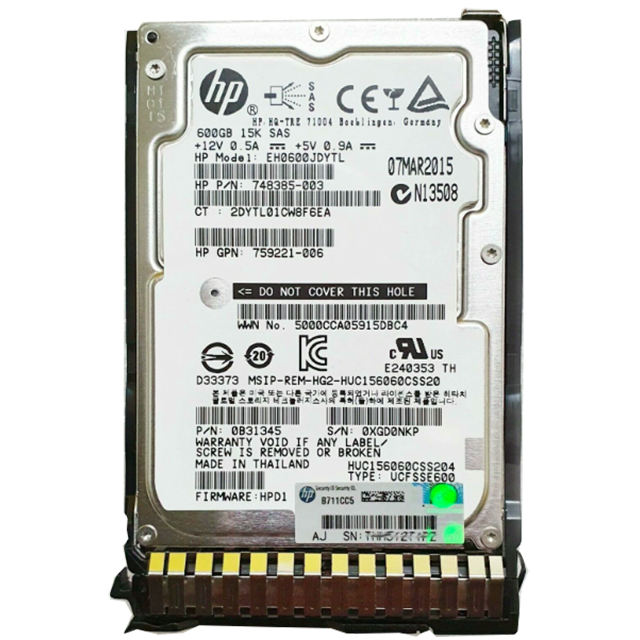
Understanding the Critical Role of Storage Hardware in Enterprise Systems
Server hard drives form the backbone of modern enterprise data storage, handling millions of read/write operations while safeguarding critical business information. These sophisticated storage devices must maintain peak performance 24/7, making their reliability crucial for business continuity. When a server hard drive fails, the consequences can be catastrophic – from data loss and system downtime to significant financial impacts.
With organizations increasingly dependent on digital infrastructure, protecting server storage systems has never been more important. Understanding common failure modes and implementing preventive measures can significantly extend the lifespan of server hard drives and protect valuable data assets. Let's explore the most frequent issues that plague enterprise storage systems and learn proven strategies to avoid them.
Physical Component Deterioration
Mechanical Wear and Tear
Server hard drives contain numerous moving parts that experience constant friction and stress. The read/write heads float mere nanometers above the spinning platters, while the spindle motor maintains precise rotational speeds. Over time, this mechanical action inevitably leads to component wear. The bearings in the spindle motor can deteriorate, causing increased vibration and potential misalignment. Similarly, the actuator arm mechanism may develop inconsistencies in its movement patterns.
Regular monitoring of drive performance metrics can help identify early signs of mechanical wear. Parameters like seek time, rotational latency, and vibration levels should be tracked through S.M.A.R.T. monitoring tools. Implementing proper cooling and maintaining stable operating temperatures also helps reduce mechanical stress on server hard drive components.
Surface Degradation Issues
The magnetic platters storing data can develop imperfections over time. These surface defects may start as minor flaws but can expand into larger bad sectors, compromising data integrity. Environmental factors like dust, humidity, and temperature fluctuations accelerate platter degradation. When the drive attempts to read or write to damaged areas, it may encounter errors or data corruption.
Protecting against surface degradation requires maintaining optimal environmental conditions in the server room. Humidity should be kept between 45-55%, with temperature stable between 20-24°C. Regular surface scans can identify and map out bad sectors before they affect critical data areas.
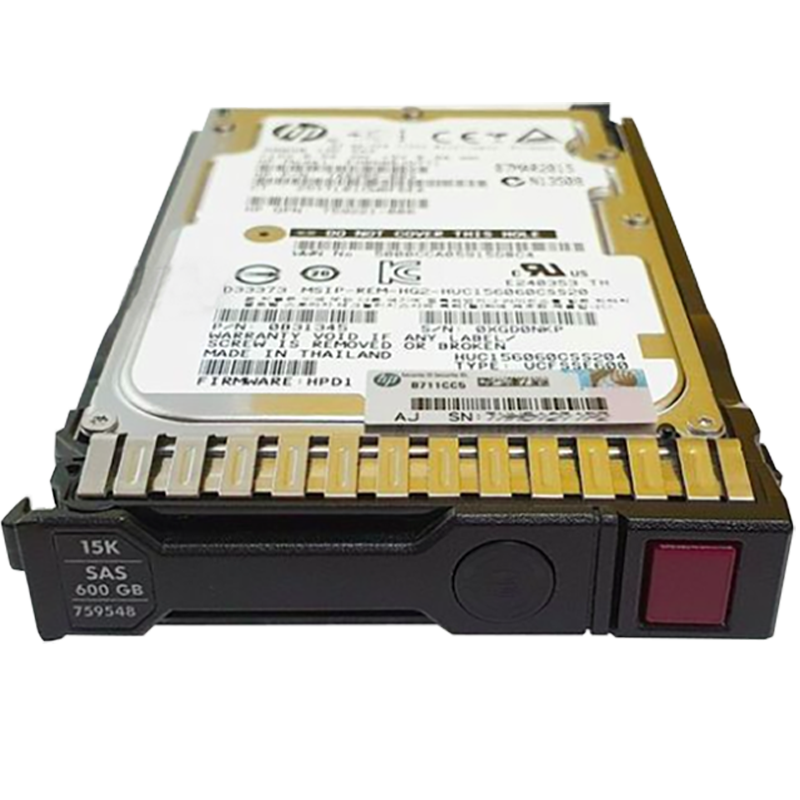
Electronic Component Failures
Circuit Board Malfunctions
The printed circuit board (PCB) controlling a server hard drive contains sophisticated electronics that can fail due to various factors. Power fluctuations, static electricity, and component aging can damage integrated circuits, capacitors, and other electronic elements. When the PCB malfunctions, the drive may become unresponsive or exhibit erratic behavior.
Protecting against electronic failures starts with proper power management. Installing uninterruptible power supplies (UPS) and voltage regulators helps prevent damaging power surges and brownouts. Regular electrical system maintenance and proper grounding also reduce the risk of static discharge damage.
Firmware Corruption
Server hard drives rely on complex firmware to manage their operations. Firmware corruption can occur during power failures, system crashes, or failed updates. When firmware becomes corrupted, the drive may not initialize properly or could exhibit unusual behavior patterns. In severe cases, the drive might become completely inaccessible.
Maintaining current firmware versions while following proper update procedures helps prevent corruption issues. Creating backup copies of drive firmware and documenting configuration settings enables faster recovery if problems occur. It's also crucial to follow manufacturer guidelines for power cycling and shutdown procedures.
Environmental Impact Factors
Temperature-Related Stress
Heat is a major enemy of server hard drives. Excessive temperatures can cause component expansion, leading to misalignment and increased wear. Extended exposure to high temperatures may also degrade lubricants and affect the magnetic properties of storage platters. Conversely, extremely cold conditions can cause condensation and mechanical stiffness.
Implementing proper cooling systems with redundancy is essential for temperature management. Server room layout should optimize airflow while preventing hot spots. Installing temperature monitoring systems with automated alerts helps maintain optimal operating conditions for server hard drives.
Vibration and Physical Shock
Server hard drives are sensitive to vibration and physical shock, especially in high-density storage environments. Excessive vibration can disrupt read/write operations and accelerate mechanical wear. Shock events from improper handling or external sources can cause immediate damage to drive components.
Using proper mounting hardware and anti-vibration materials helps isolate drives from mechanical disturbances. Server racks should be properly secured and leveled. Staff training on proper hardware handling procedures reduces the risk of accidental damage during maintenance.
Power-Related Problems
Voltage Fluctuations
Server hard drives require stable power supplies for reliable operation. Voltage spikes, dips, or irregular power delivery can damage electronic components and disrupt drive operations. Power-related issues often manifest as sudden drive failures or intermittent performance problems.
Installing enterprise-grade power distribution units (PDUs) and UPS systems provides protection against power fluctuations. Regular electrical system maintenance and power quality monitoring help identify potential issues before they affect server hard drives.
Sudden Power Loss Impact
Unexpected power losses can catch server hard drives in the middle of write operations, potentially causing data corruption or physical damage. The sudden stop of spinning platters may also stress mechanical components and increase the risk of head crashes.
Implementing proper shutdown procedures and maintaining UPS systems helps prevent damage from sudden power losses. Modern server hard drives include emergency power-off protection, but following proper operational protocols remains crucial.
Frequently Asked Questions
How long do server hard drives typically last?
Server hard drives typically last between 3-5 years under normal operating conditions. However, actual lifespan varies based on usage patterns, environmental conditions, and maintenance practices. Enterprise-grade drives often include enhanced reliability features and longer warranty periods compared to consumer models.
What are the warning signs of imminent server hard drive failure?
Common warning signs include unusual noises (clicking, grinding), increased error rates in system logs, slower performance, and S.M.A.R.T. status alerts. Regular monitoring of these indicators helps identify potential failures before they cause data loss or system downtime.
How often should server hard drives be replaced preventively?
Many organizations implement preventive replacement schedules based on manufacturer recommendations and historical failure data. Typically, drives are replaced every 3-4 years or when they reach 80% of their rated workload limit, whichever comes first. Critical systems may warrant more frequent replacement cycles.
What's the best backup strategy for server hard drives?
A comprehensive backup strategy should include multiple copies of data stored on different media types and locations. This typically involves a combination of local backups, offsite replication, and cloud storage. Regular backup testing and verification procedures ensure data can be recovered when needed.