
 EN
EN



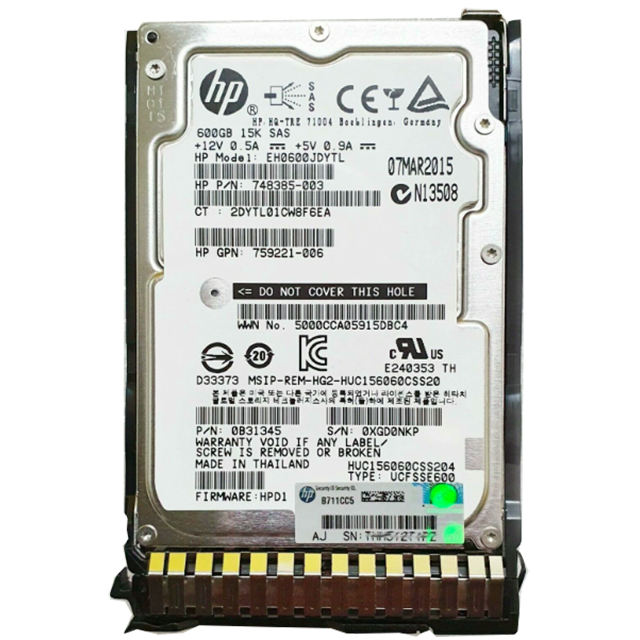
Understanding Enterprise Storage Requirements in Modern Data Centers
The foundation of any reliable data center lies in its storage infrastructure, with server hard drives playing a pivotal role in determining overall performance and reliability. As data volumes continue to grow exponentially, selecting the appropriate server hard drive becomes increasingly critical for maintaining operational efficiency and ensuring business continuity. Modern enterprises must carefully evaluate their storage needs while considering factors such as workload types, capacity requirements, and performance expectations.
Organizations today face mounting pressure to store and process massive amounts of data while simultaneously delivering quick access times and maintaining data integrity. The server hard drive you choose directly impacts these capabilities, affecting everything from application response times to backup efficiency and disaster recovery capabilities. Making an informed decision requires a deep understanding of available technologies, specifications, and how they align with your specific use case.
Essential Specifications for Enterprise Storage Solutions
Form Factor and Physical Considerations
When selecting a server hard drive, the physical dimensions and compatibility with existing infrastructure deserve careful attention. The most common form factors for enterprise drives are 3.5-inch and 2.5-inch, each offering distinct advantages. The 3.5-inch drives typically provide higher capacity options and better price-per-terabyte ratios, while 2.5-inch drives offer improved power efficiency and density advantages in rack-mounted servers.
Beyond size considerations, factors such as power consumption, heat generation, and cooling requirements must be evaluated. Modern server hard drives incorporate sophisticated power management features that help optimize energy usage while maintaining performance levels. Understanding these specifications ensures smooth integration into your existing data center environment.
Performance Metrics and Speed Classifications
The performance characteristics of a server hard drive significantly influence overall system responsiveness. Key metrics include rotational speed (measured in RPM), average latency, and sustained transfer rates. Enterprise-class drives typically operate at 7200 RPM or 10,000 RPM, with some high-performance models reaching 15,000 RPM. These speeds directly affect how quickly data can be accessed and transferred.
Cache size also plays a crucial role in drive performance, acting as a buffer between the slower mechanical components and the faster server interface. Modern server hard drives feature substantial cache sizes, often ranging from 128MB to 256MB or more, helping to optimize data access patterns and improve overall system responsiveness.
Reliability Features and Enterprise-Grade Technologies
Error Detection and Correction Capabilities
Enterprise-class server hard drives incorporate sophisticated error detection and correction mechanisms to ensure data integrity. Advanced error correction algorithms work continuously to identify and address potential issues before they can impact data accessibility. These features are particularly important in mission-critical environments where data loss or corruption cannot be tolerated.
Many modern drives also include self-monitoring capabilities through S.M.A.R.T. (Self-Monitoring, Analysis, and Reporting Technology) systems. These technologies provide administrators with real-time insights into drive health and performance metrics, enabling proactive maintenance and reducing the risk of unexpected failures.
Workload Ratings and Durability Features
Understanding workload ratings is crucial when selecting a server hard drive. Enterprise drives are designed to handle continuous operation in demanding environments, with workload ratings typically measured in terabytes written per year. These ratings help determine whether a particular drive model can sustain your expected usage patterns over its intended lifespan.
Durability features extend beyond pure mechanical reliability to include protection against environmental factors. Enterprise-grade server hard drives often incorporate enhanced vibration tolerance, humidity resistance, and temperature management capabilities. These features ensure consistent performance even in challenging data center conditions.
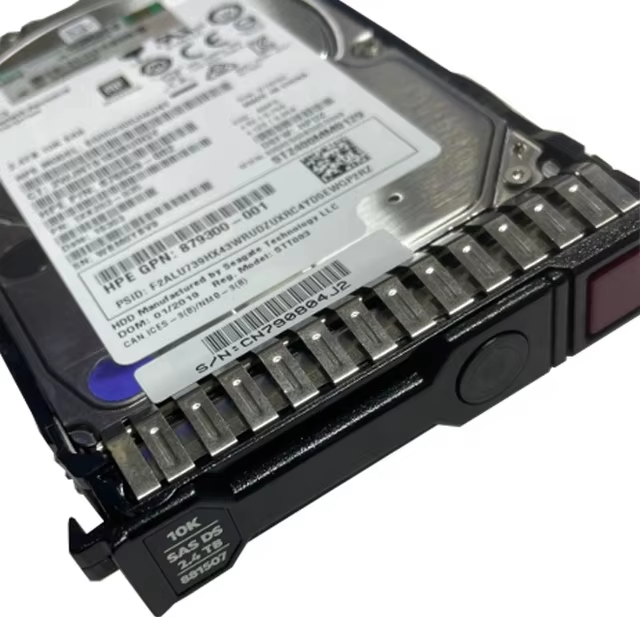
Interface Technologies and Connectivity Options
Current Interface Standards
The choice of interface technology significantly impacts both performance and compatibility. Modern server hard drives typically utilize either SAS (Serial Attached SCSI) or SATA (Serial ATA) interfaces. SAS drives generally offer superior performance and reliability features, making them ideal for mission-critical applications. SATA drives, while typically offering lower performance specifications, provide excellent value for capacity-focused applications.
Understanding interface bandwidth limitations and how they align with your performance requirements is essential. Current SAS interfaces support up to 12Gb/s transfer rates, while SATA interfaces typically operate at 6Gb/s. These specifications directly influence maximum throughput capabilities and should be matched to your workload requirements.
Future-Proofing Considerations
When investing in server hard drives, considering future expansion and upgrade paths is crucial. The selected interface technology should support your growth plans and anticipated performance needs. Additionally, ensure that your chosen drives support advanced features such as hot-swapping and redundant paths for enhanced reliability and serviceability.
Emerging technologies and standards should also factor into your decision-making process. While maintaining compatibility with existing infrastructure is important, selecting drives that support newer protocols and features can help extend the useful life of your storage investment.
Frequently Asked Questions
How long do enterprise server hard drives typically last?
Enterprise server hard drives are designed for continuous operation and typically have a mean time between failures (MTBF) rating of 1.5 to 2.5 million hours. However, actual lifespan depends on factors such as workload intensity, operating environment, and maintenance practices. With proper care and monitoring, enterprise drives can reliably operate for 5-7 years or more.
What is the optimal RAID configuration for server hard drives?
The optimal RAID configuration depends on your specific requirements for performance, capacity, and redundancy. RAID 10 provides an excellent balance of performance and reliability for most enterprise applications, while RAID 6 offers superior data protection for large arrays. Consider factors such as rebuild times, performance impact, and failure tolerance when selecting a RAID level.
Should I mix different types of server hard drives in the same system?
While technically possible, mixing different types of server hard drives is generally not recommended in production environments. Using identical drives ensures consistent performance, simplifies management, and reduces the risk of compatibility issues. If tiered storage is needed, consider implementing separate arrays for different drive types.